Bible clock for iPhone and iPad

A Bible verse for every minute.

Scripture Clock tells the time with Scripture. The hour is the chapter and the minute is the verse, so at 6:36 you might read Luke 6:36. A fresh passage from the King James Bible, every minute of the day.

Download on theApp Store

Free · iOS 17 or later

  • 4.9 on the App Store
  • No ads, no account
  • Works offline
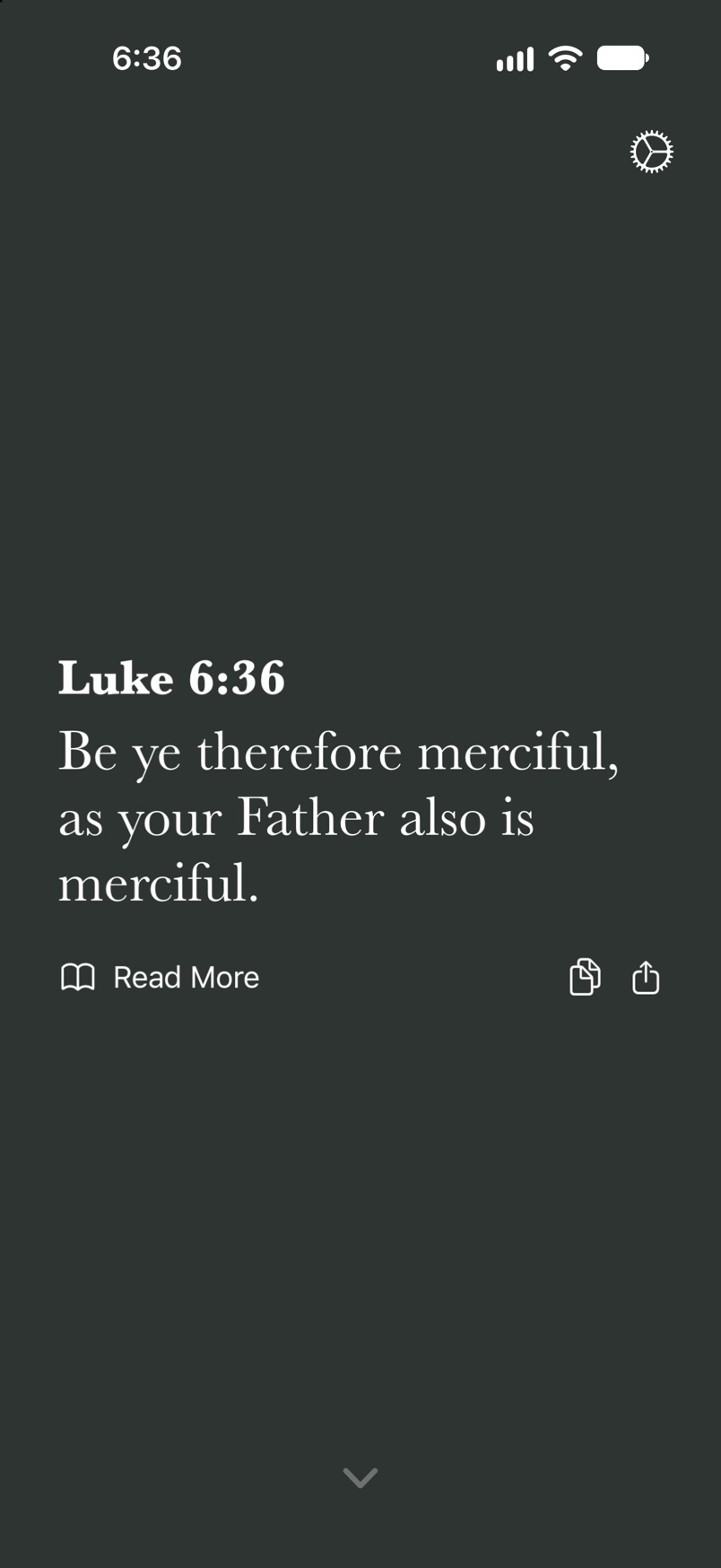
Scripture Clock app on iPhone at 6:36 showing Luke 6:36, “Be ye therefore merciful, as your Father also is merciful.”
Scripture Clock widgets on an iPhone Home Screen showing the verse of the minute

How it works

The time is the reference.

  1. The hour is the chapter

    At six o’clock, Scripture Clock turns to chapter 6 of a book of the Bible.

  2. The minute is the verse

    At 6:36 it shows verse 36. A minute later, verse 37, often from a different book.

  3. Everyone reads together

    Verses are synchronized, so every Scripture Clock user sees the same verse at the same time of day.

Matthew 6:33
But seek ye first the kingdom of God, and his righteousness; and all these things shall be added unto you.
Mark 6:34
And Jesus, when he came out, saw much people, and was moved with compassion toward them…
Luke 6:36
Be ye therefore merciful, as your Father also is merciful.

Features

A quiet clock, built around the Word.

Verse of the minute

Open the app and the current verse fills the screen in clean, readable type. The display stays awake while you’re on the current verse, so Scripture Clock works as a desk or bedside clock too.

  • A new verse every minute
  • King James Version, included in the app
  • Light and dark mode
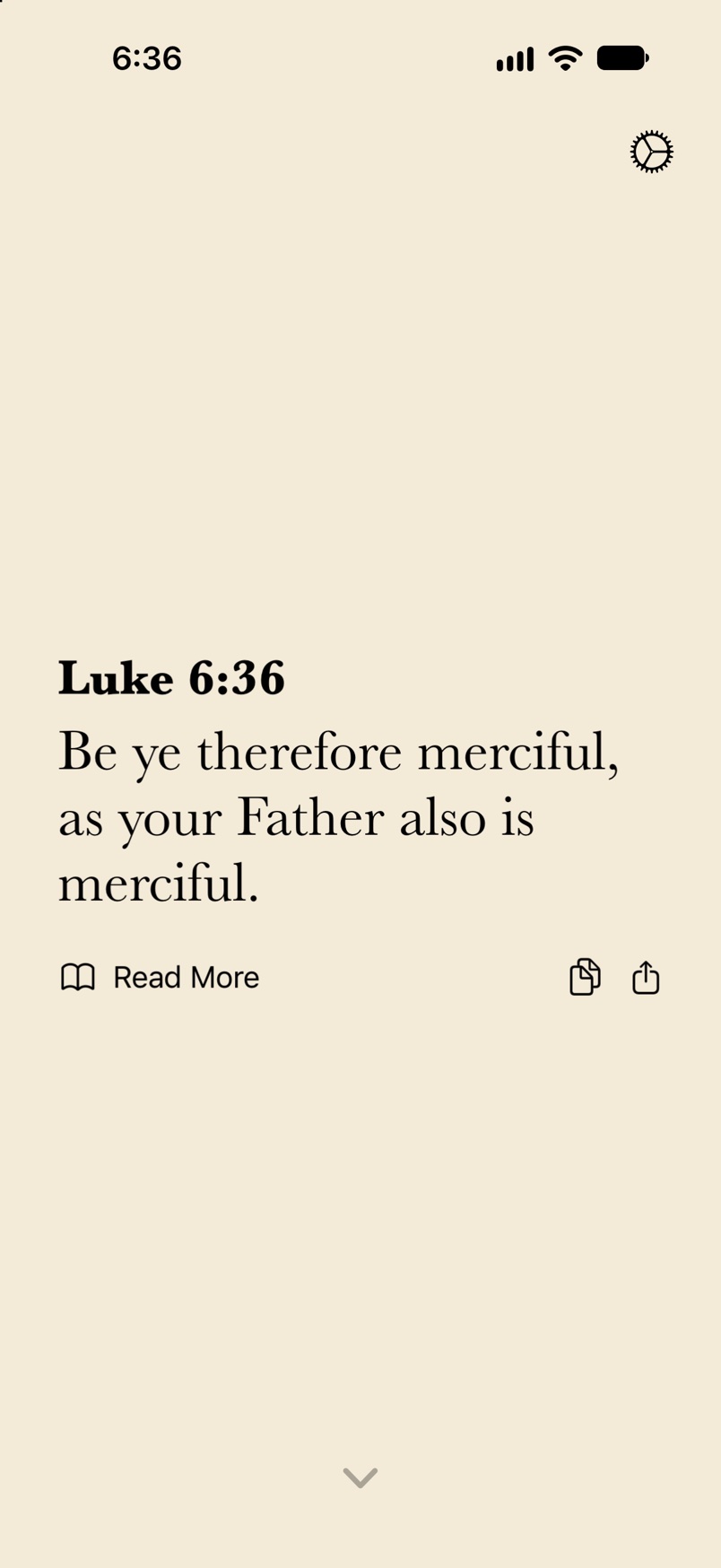
Scripture Clock showing the verse of the minute, Luke 6:36, with Read More, copy and share buttons

Scroll back through the hour

Missed one? Scroll down to revisit the verses from earlier minutes, each on its own card. Tap Back to Now to return to the present.

  • Read More opens the passage in YouVersion or Bible Gateway
  • Copy a verse with one tap
  • Share it with a friend
List of earlier verses in Scripture Clock: Matthew 6:33, Judges 6:32 and 2 Chronicles 6:31, with a Back to Now button

Widgets for your Home Screen and Lock Screen

Keep the verse of the minute in view without opening the app. Add a small, medium or large widget to your Home Screen, or put Scripture Clock on your Lock Screen.

  • Choose a font for each widget
  • 12-hour or 24-hour clock
  • Supports dark mode and Home Screen tinting
Small and medium Scripture Clock widgets on an iPhone Home Screen showing Mark 6:39 at 6:39

Make it yours

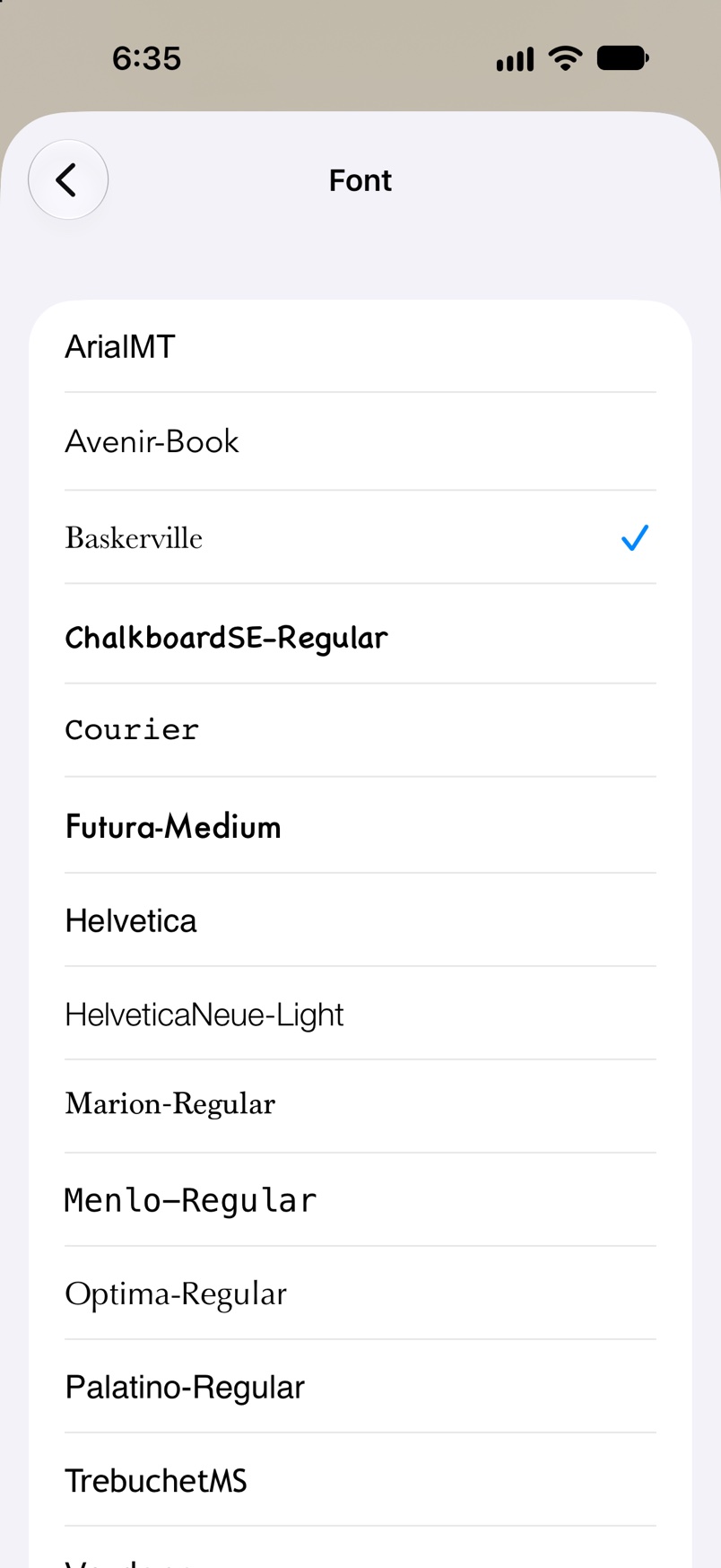
Pick from 14 typefaces, from Baskerville and Palatino to Futura and Avenir. Switch to 24-hour time and the afternoon opens up chapters 13 through 23.

  • 14 fonts for the app and widgets
  • 12-hour or 24-hour time
  • Choose which Bible app Read More opens
Scripture Clock font picker listing typefaces including Baskerville, Futura, Optima and Palatino
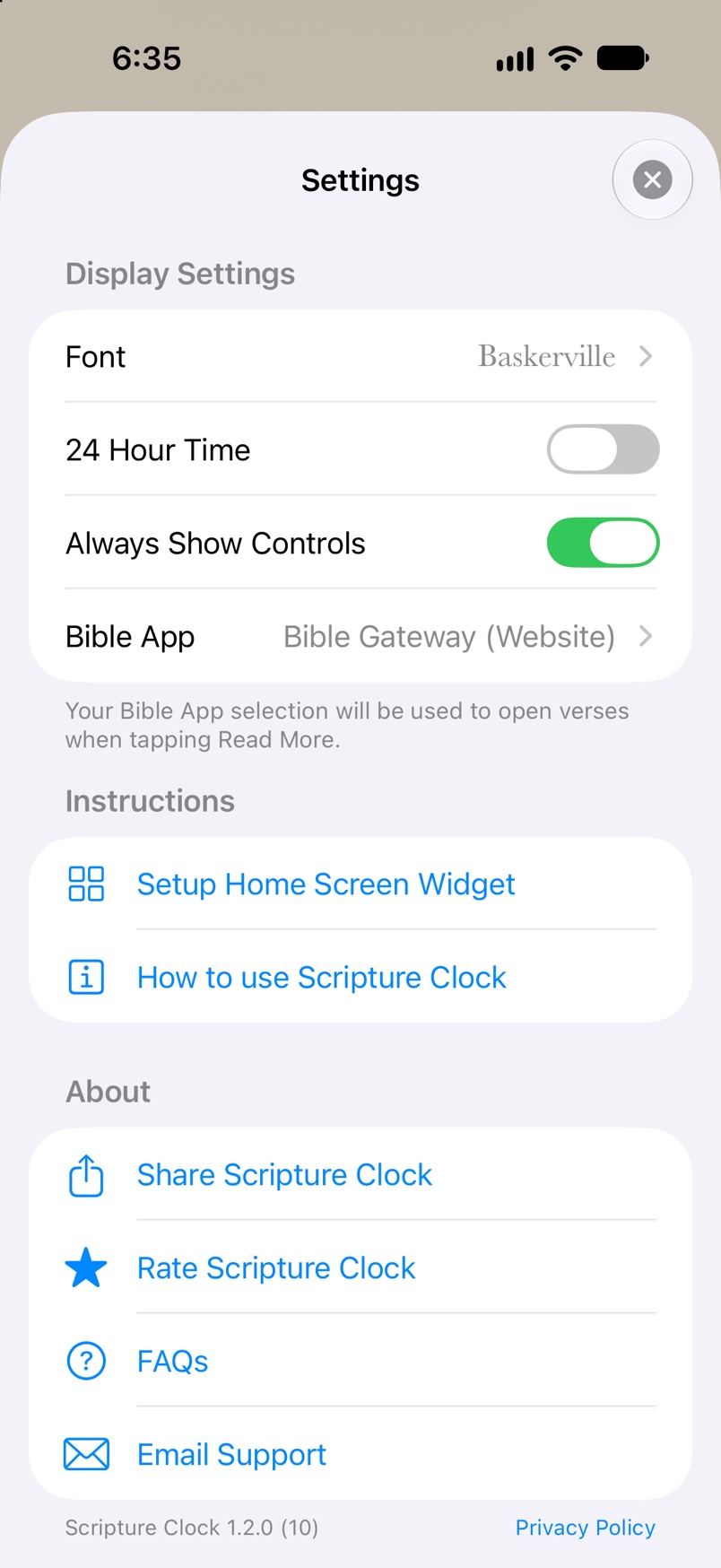
Scripture Clock settings with font, 24 Hour Time, Always Show Controls and Bible App options

Everything included

All of Scripture Clock’s features

  • A verse every minute

    The clock turns to a new Bible verse each minute, matched to the hour and minute.

  • Synchronized

    Everyone sees the same verse at the same time of day.

  • King James Bible

    The full KJV text ships with the app, so verses appear without a connection.

  • Home Screen widgets

    Small, medium and large widgets that update with the clock.

  • Lock Screen widget

    See the verse of the minute the moment you pick up your iPhone.

  • 14 fonts

    Serif, sans-serif and monospaced typefaces for the app and each widget.

  • 12 or 24 hours

    Use your preferred time format, or expand the clock to chapters 13–23.

  • Light and dark mode

    Warm parchment by day, soft slate at night. It follows your device.

  • Read More

    Open any verse in YouVersion or on Bible Gateway to read the full chapter.

  • Copy and share

    Send a verse to a friend or paste it into your notes.

  • Stays awake

    The screen stays on while the current verse is showing.

  • iPhone and iPad

    Designed for both, with larger type on iPad.

FAQs

Frequently asked questions

How does Scripture Clock choose each verse?

The time is the reference. The hour picks the chapter and the minute picks the verse, so at 6:36 the clock shows chapter 6, verse 36 from a book of the Bible, such as Luke 6:36. When more than one book has that chapter and verse, Scripture Clock chooses one for that minute, and the choice changes from day to day.

Does everyone see the same verse?

Yes. Verses are synchronized, so everyone using Scripture Clock sees the same verse at the same time of day.

What happens when no verse matches the time?

Some times have no matching chapter and verse, such as the top of every hour, since there is no verse 0. At those moments Scripture Clock shows a verse the clock could never otherwise reach, such as one from a later chapter, with the current time shown beside the reference.

Which Bible translation does Scripture Clock use?

The King James Version (KJV). The full text is included with the app, so the clock does not need an internet connection to show verses.

What does 24-hour time change?

In 12-hour mode the clock uses chapters 1 through 12. Turn on 24 Hour Time in Settings and afternoon and evening hours use chapters 13 through 23, so 3:16 PM becomes chapter 15, verse 16.

How do I add the Scripture Clock widget?

On the Home Screen, touch and hold an empty area, tap Edit, then Add Widget, search for Scripture Clock and pick a size. For the Lock Screen, touch and hold the Lock Screen, tap Customize and add Scripture Clock below the clock. Touch and hold a widget and choose Edit Widget to change its font, switch to a 24-hour clock or add a Read More button.

Can I read the rest of the chapter?

Yes. Tap Read More under any verse to open the passage in YouVersion or on Bible Gateway. You can choose which one in Settings.

Which devices are supported?

Scripture Clock runs on iPhone and iPad with iOS 17 or iPadOS 17 or later.

Is Scripture Clock free?

Yes. Scripture Clock is free to download on the App Store.

Still have a question? Email support@swiftfoxsoftware.com.

Privacy Policy

Your reading is your own.

Scripture Clock has no accounts and no ads, and it never asks for your name, email or location.

What stays on your device

Your settings and your theme are saved on your device. They are never sent to us.

Supporting the app

Supporting Scripture Clock is optional. Apple takes the payment, so we never see your name, email or card details. To record the purchase and keep your themes unlocked, the app uses RevenueCat. RevenueCat receives what you bought and when, kept under a random ID for your copy of the app and not under your name.

Technical details

When the app opens, it checks with RevenueCat whether your themes are unlocked. RevenueCat receives basic technical details: the app version, your device model and iOS version, your language and region, and an identifier that Apple gives to our apps only. As with any internet service, it also sees your IP address.

What we never do

We do not show ads, track you across other apps or websites, or sell your data.

Other apps

Read More opens the passage in YouVersion or on Bible Gateway. Each has its own privacy policy.

Last updated November 17, 2026.

Questions about privacy? Email support@swiftfoxsoftware.com.

Scripture Clock app icon

Let God’s Word guide your time.

Start your day with faith and end it with a verse. Scripture Clock is free for iPhone and iPad.

Download on theApp Store
Scroll Hope app icon

New from the makers of Scripture Clock

Scroll Hope: the Bible, one verse at a time.

A calm, focused way to read the Word. Scroll verse by verse over slowly moving backgrounds, and replace your doomscrolling habit with hope.

  • Four translations: KJV, BSB, WEB and ASV
  • App Lock keeps distracting apps locked until you’ve read
  • Verse of the Day, streaks and Home Screen widgets
  • Free, with no account and no ads